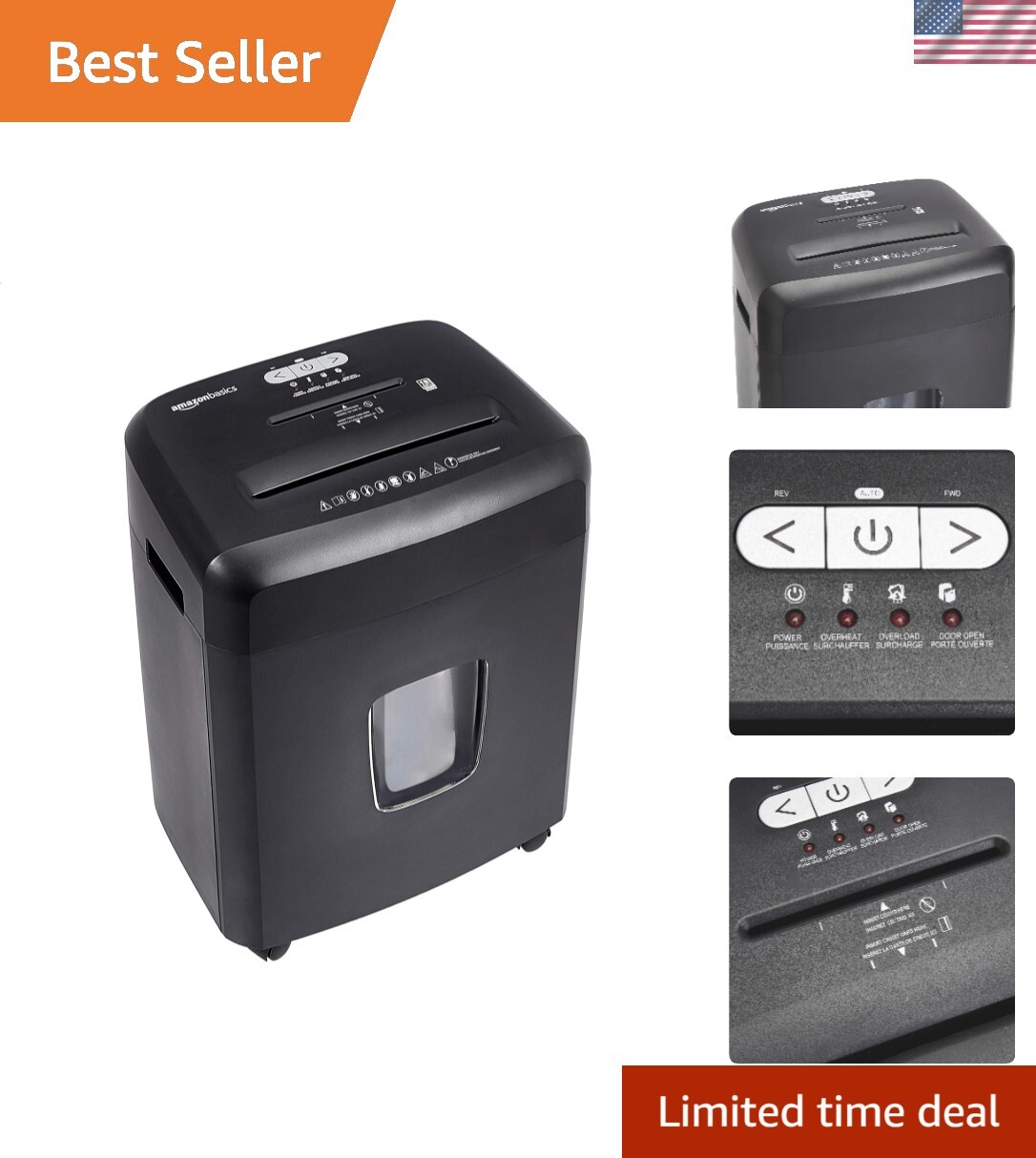
Paper Shredder for Home Use,6-Sheet Crosscut Paper and Credit Card
ShreUSD $53.99
Condition : New
Free Shipping

Notify me when the price drops
We will email you if we find a lower price on this product!
- Product Dimension: Measures 11.81 x 7.09 x 14.25 inches (L x W x H); Note: Please check the product size before purchase; For more details, refer to the instruction manual, troubleshooting guide, and instructional video to get a quick start before use
- Continuous Performance: 3 minute runtime and 40 minute cool down; If the shredder goes beyond 3 minutes, it will automatically shut off and trigger a 40-minute cool down period to prevent overheating
- P-4 High Security Level: Bonsaii paper shredder can shred up to 5-6 sheets of paper at a time into small pieces measuring 13/64 x 45/64 inches (5 x 18 mm)
- Portable Design: Bonsaii home shredder features a portable handle design, allowing you to place it in a corner
- Easy Operation: Auto start / stop and manual-reverse functions protect the paper shredder from the frustration of paper jams
- Crosscut Shredder for Home: This crosscut shredder with a 3.4-gallon wastebasket that can accommodate 180 sheets of A4 paper, reducing the need for frequent emptying
Product description Features
- Shreds up to 6 sheets at a time
- Overheating protection
- 3.4 Gallons transparent window bin
- Portable handle for lift
- 7x24 hour online service
- 1-Year Limited Protection
- Bonsaii small paper shredder easily shreds paper, plastic , small paper clips and staples.
- Bonsaii home office shredder has the Jam free and overheated protection function, it is a good helper for your life.
- Bonsaii cross-cut shredder perfectly protects your privacy (security level P-4), helps you minimize information leakage.
If the shredder runs continuously for more than 3 mins, may overheat. Please shut down the machine and cool down for 40 mins to recover.
Auto Start and Manual ReverseOnce detects papers, it will start to auto shred, when shred papers are more than the maximum capacity, you can use Rev mode to clean jam.
High-Security P-4 LevelThis shredder can easily destroy paper, staples, small paper clips, plastic . For more details, please check the below shredding capability
Use TipsBefore use
- Refer to the user manual, troubleshooting guide, and instructional video before use.
- To avoid paper jams caused by overloading the machine, please check and clean the cutter in time.
During use
- Please wait until the paper is completely shredded before adding new paper.
- When the bin is full, please clean it out in time to avoid affecting the reverse function and making the machine unusable.
- The machine is equipped with an overheating protection. If the overheating protection has been triggered by the previous use, please cool down for more than 40 minutes before shredding the next shredding session.
- Why does the machine has smell strange after overheating? By the time the shredder goes into overheat protection, the machine has already generated a lot of heat due to the load. There is an oil coating on the motor, which gives off a slight odor as it heats up. Don't worry, this is normal phenomenon.
After use
- To prolong the life of the shredder, it is recommended to clean both the shredder bin and the dust inside the machine regularly.
- Do not spray or keep any aerosol products in or around the shredder.
- Shredder oil packs are recommended to regular sharpening, cleaning and lubricating the shredder blades to ensure optimum shredder performance. When using the oil pack for cleaning, please pay attention to empty the waste bin first.
IMPORTANT Q&A
Q1: Why doesn't the shredder work after plugging in?
- Please check that you are using the machine with the power supply that matches the label on the machine, or reconnect it correctly.
- Check that if the shredder head is correctly seated on the supplied waste bin.
- Overheating protection has been triggered due to the previous use. Please allow the machine to cool down for 40 minutes; When the "overheat" light tuens off, you can use the machine again.
- Paper jams may also be a cause of malfunction. Please use the FWD and REV functions to clean up the cutter scraps.
Q2: How to solve with paper jams?
- Please switch to FWD mode and shred the jammed paper compulsorily. If there are too many paper scraps in the feed , slide to FWD mode for a few seconds and then to REV mode for a few seconds to clear it.
- With stubborn situations, you may need to clean the jammed paper with shredder oil. Start by drizzling oil into the feed where the paper is jammed. Let it soak for about 30 minutes, and turn the shredder to Auto-On mode, a rigid sheet of cardstock (or folded file folder) can be fed into the shredder to help push the jammed paper through With the shredder unplugged.
Q3: Why is the number of sheets that can be shredded lower than the maximum number of sheets described?
- Please check if the paper is damp, contains plastic is too thick, if so, please let the paper dry before shredding, or remove the plastic part, or reduce shredding papers per pass. To extend the lifetime of the paper shredder, please don't shred more than 6 sheets at one time.



Amazon Basics 8-Sheet High Security Cross Cut Paper and Credit Card Shredder wit
By Unbranded

$60.04





 .
.
